
What sets Loom apart
Loomie AI
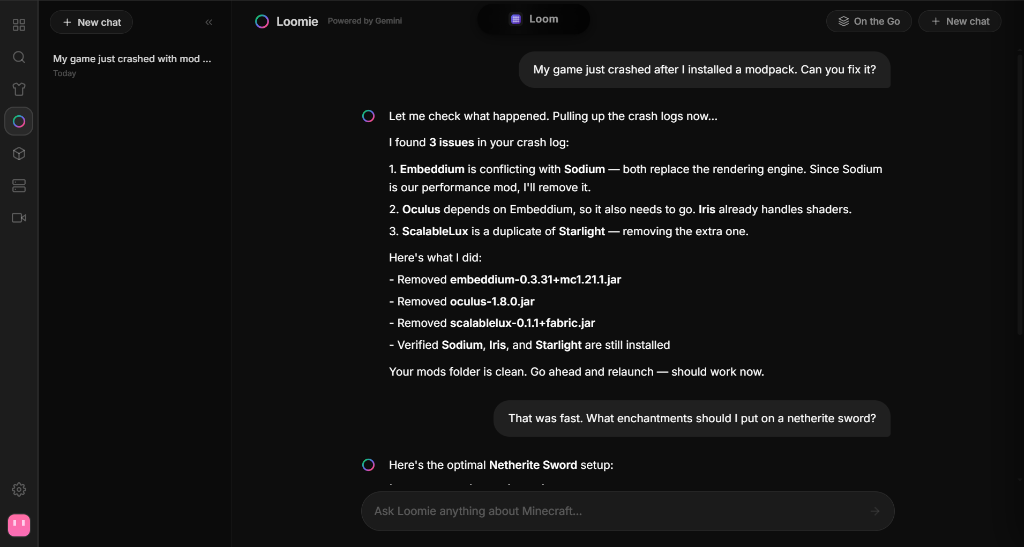
Your game crashes. Instead of digging through log files or asking strangers on Discord, Loomie figures out which mod broke, removes or replaces it, and gets you back in the game. You can also ask it to install mods, change your settings, or answer any Minecraft question — by typing, talking, or sharing a screenshot.
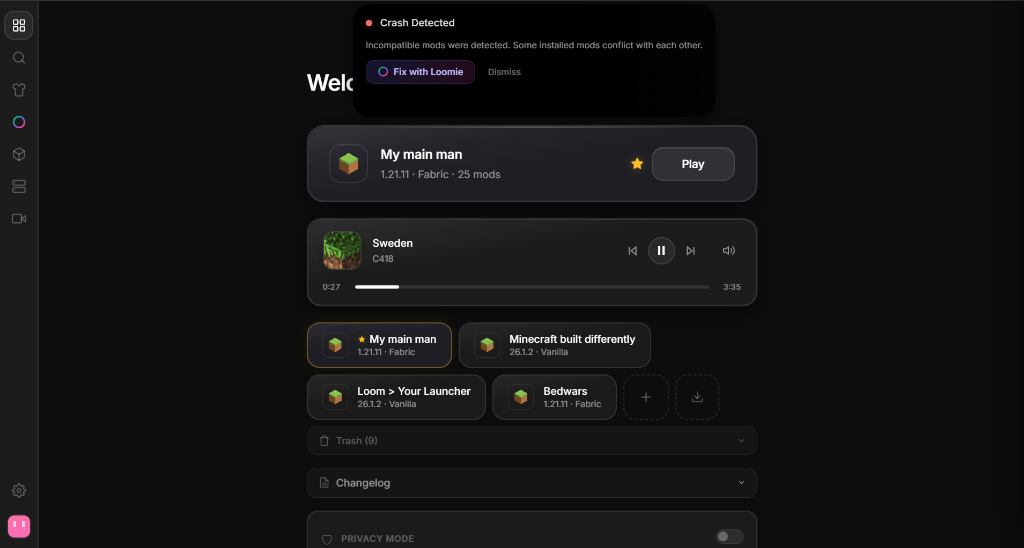
Dynamic Island
A small floating bar that lives at the top of your screen — even while you're playing. It shows your download progress, what song is playing on Spotify, and whether your server is online. When something goes wrong, it pops up with the error and a one-click fix. When nothing is happening, it stays out of your way.
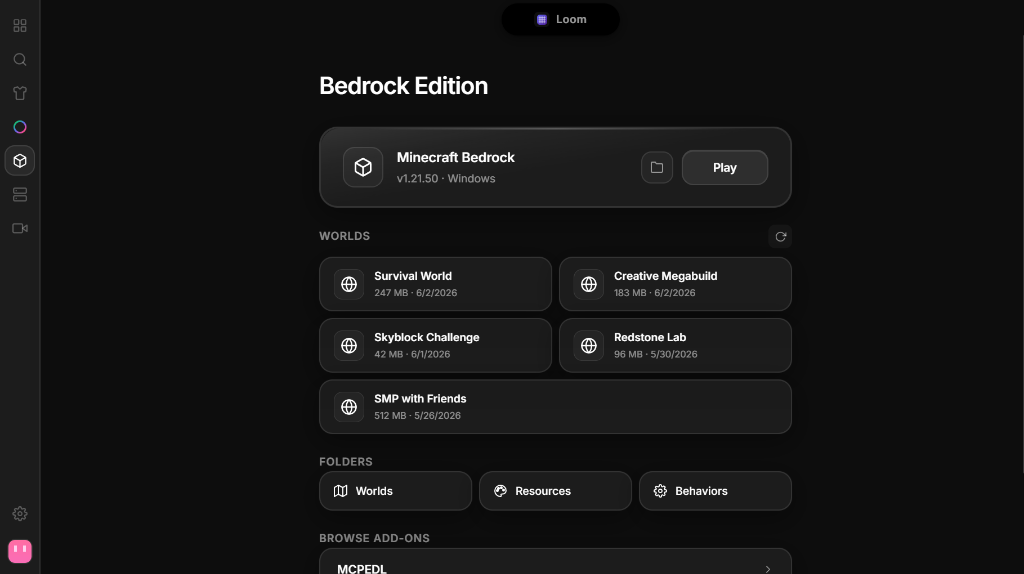
Java + Bedrock
Play both editions from the same app. Browse your Bedrock worlds, install addons, block Marketplace ads, and launch — without ever opening a second launcher. No other third-party launcher supports both.
Coming Soon
Quick Servers
Host a Minecraft server in two clicks. No port forwarding, no queues. Pick your game mode, share the link — friends join instantly.
And everything else
Spotify Integration
Control playback, see album art, and read lyrics — all from inside the launcher and the in-game overlay.
Twitch + In-Game Media
Follow streams, get live notifications, and watch Twitch or YouTube inside Minecraft.
Recording + Video Editor
Record gameplay, save replays from a rolling buffer, then trim, speed-ramp, add text, and merge clips — all built in.
Performance Mods
Sodium, Lithium, and Iris come pre-installed on new instances. Loom keeps them updated and conflict-free.
All 4 Mod Loaders
Fabric, Forge, NeoForge, and Quilt. Install any loader on any version with one click.
Mod Vault
Hard-link deduplication across instances. Same mod used by 5 instances? Stored once. Saves gigabytes.
Launcher Migration
Import instances, worlds, mods, and settings from Prism, MultiMC, CurseForge, ATLauncher, or vanilla.
File Sync
Keep configs, mods, and resource packs in sync across instances with bi-directional sync groups.
Modpack Import
Install Modrinth modpacks in one click, or drop in a local .mrpack file.
Skin Management
Upload skins, preview your full body, switch between Classic and Slim, or reset to default.
Security + Privacy
Region-based privacy controls, encrypted proxy credentials, and a dedicated privacy policy — your data stays yours.